Feature
Introducing
the Guest mode!
Onboarding in 30 sec (shorter for 3 min), enabling access to short informative
privacy summary.
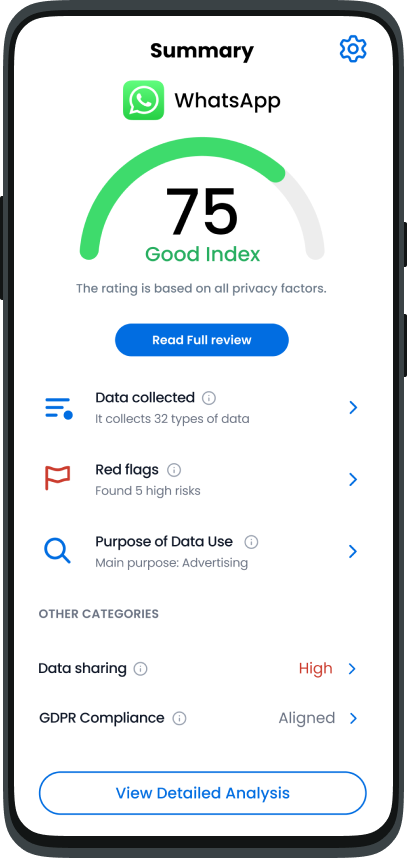

Pro Se App: Privacy Policy Analiser
In the light of frequent data privacy breaches and ever increasing amount of personal data that is collected for end users, we developed Pro Se as a solution that allows users to know where their data goes, how it is used, who collects their data and so much more.
The Pro Se guides towards privacy aware Internet of Future.
The challenge
How might we spark people's interest in the usefulness of the Pro Se app?
Goal 1
Users need to quickly bridge the gap between what they know and the "unknown" world of privacy policies. A fast start helps them feel safe and confident right away.
Design Process
01
Research & Discovery
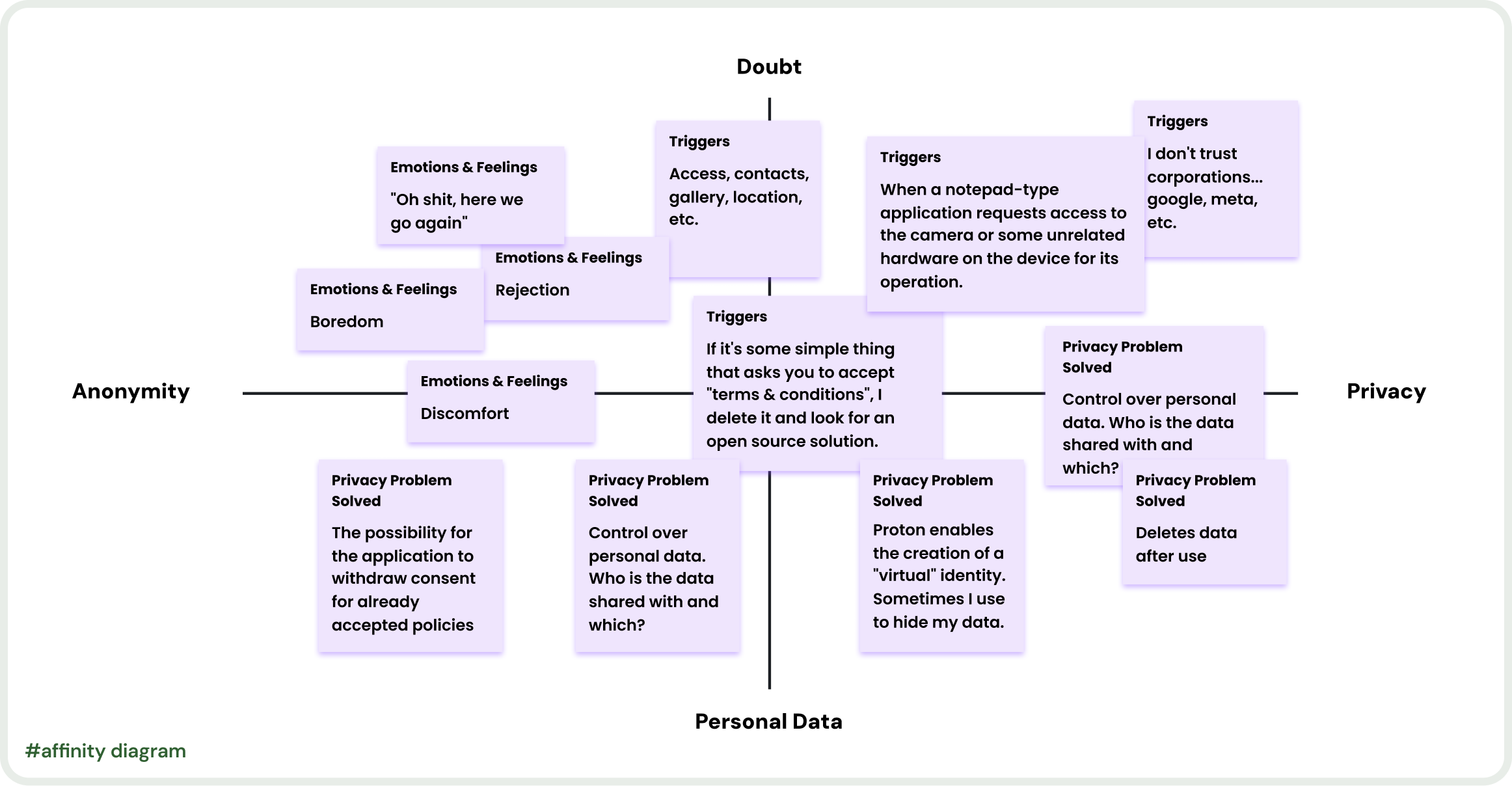
When we noticed low adoption rates, we interviewed 5 people from various professional background because we needed everyday user that are not familiar with privacy polices or what it means for their digital safety (e.g. an athlete, student, teacher, farmer...).
To make sure these findings weren't just local, I backed them up with a survey of 50 participants from different locations where we also add first screen iteration from the interviews.
User Interviews
Competitive Analysis
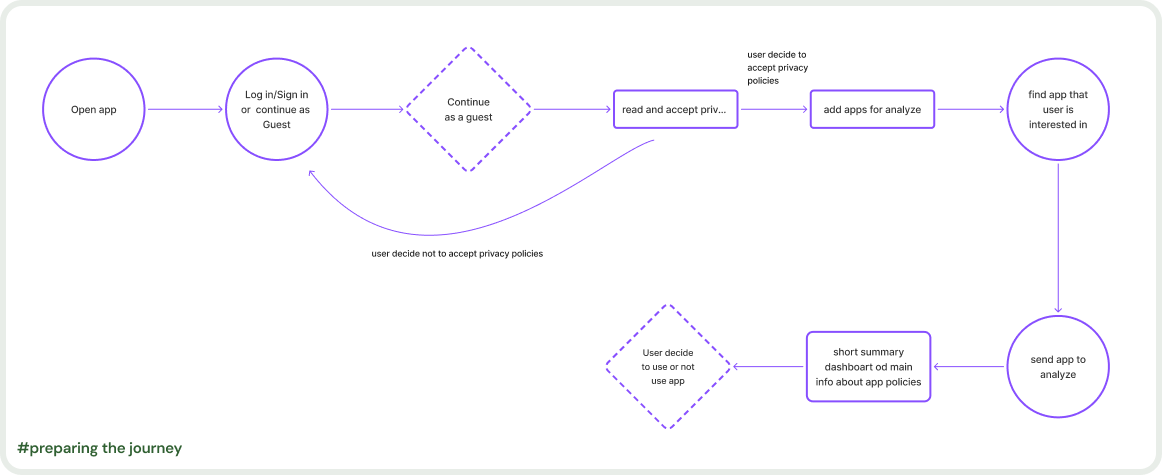
Journey Mapping
Surveys
02
Iteration & Wireframing
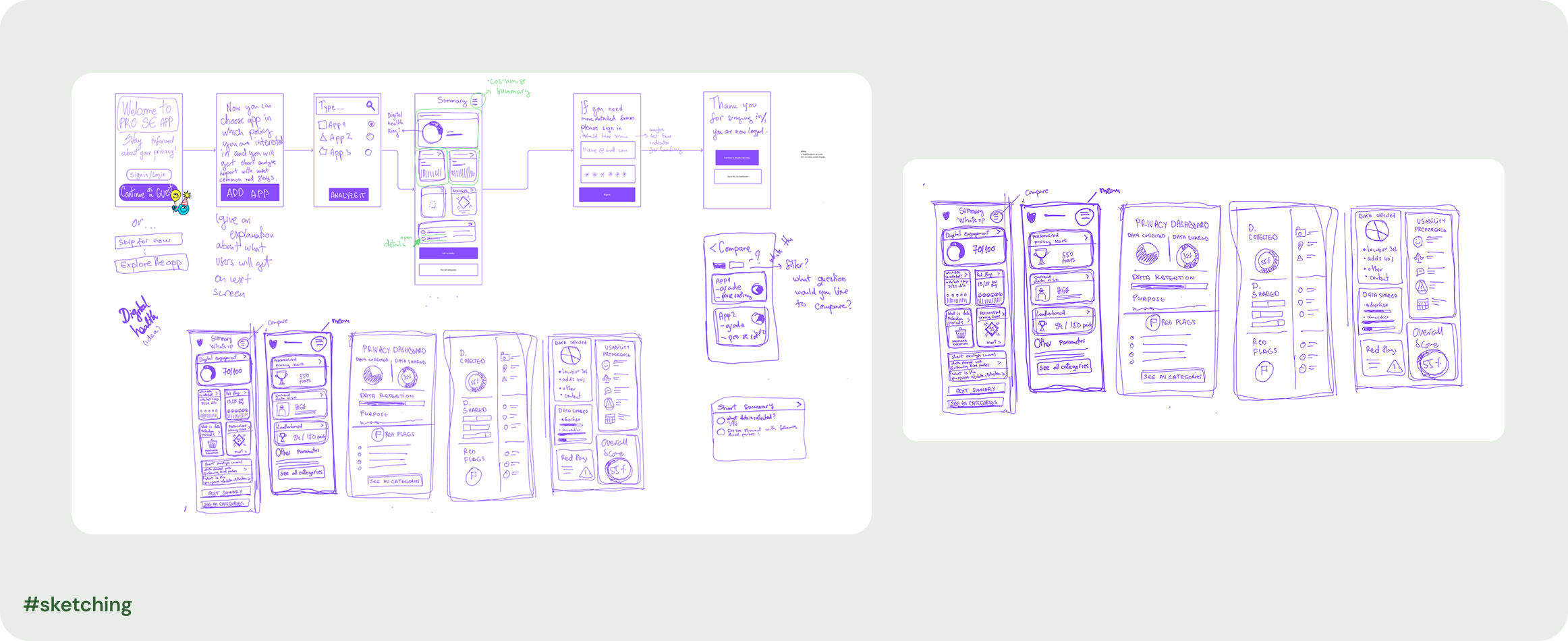
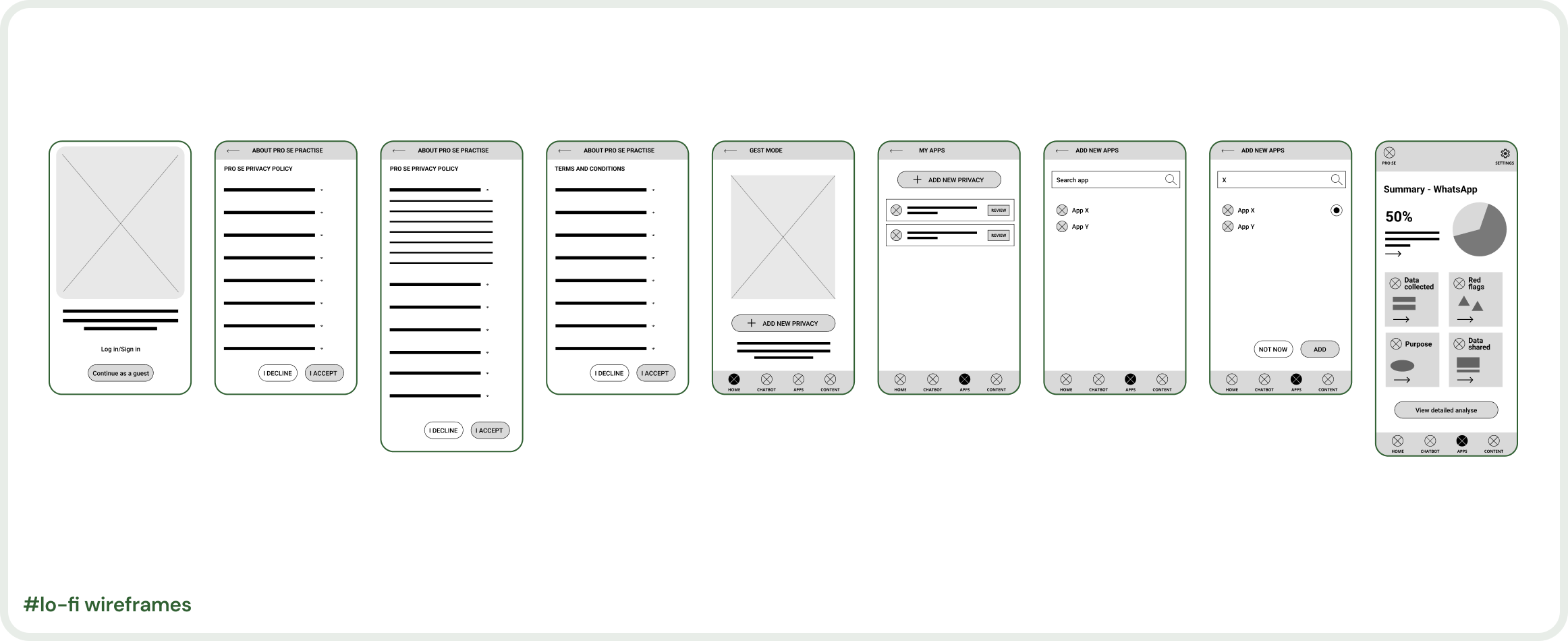
Created low-fidelity wireframes and information architecture through collaborative design workshops with stakeholders.
Sketching
Wireframes
User Flows
03
Testing & Iteration
Ran usability testing with target users. Iterated based on feedback and analytics to meet user needs and business goals.
Usability Testing
A/B Testing
Analytics
Before
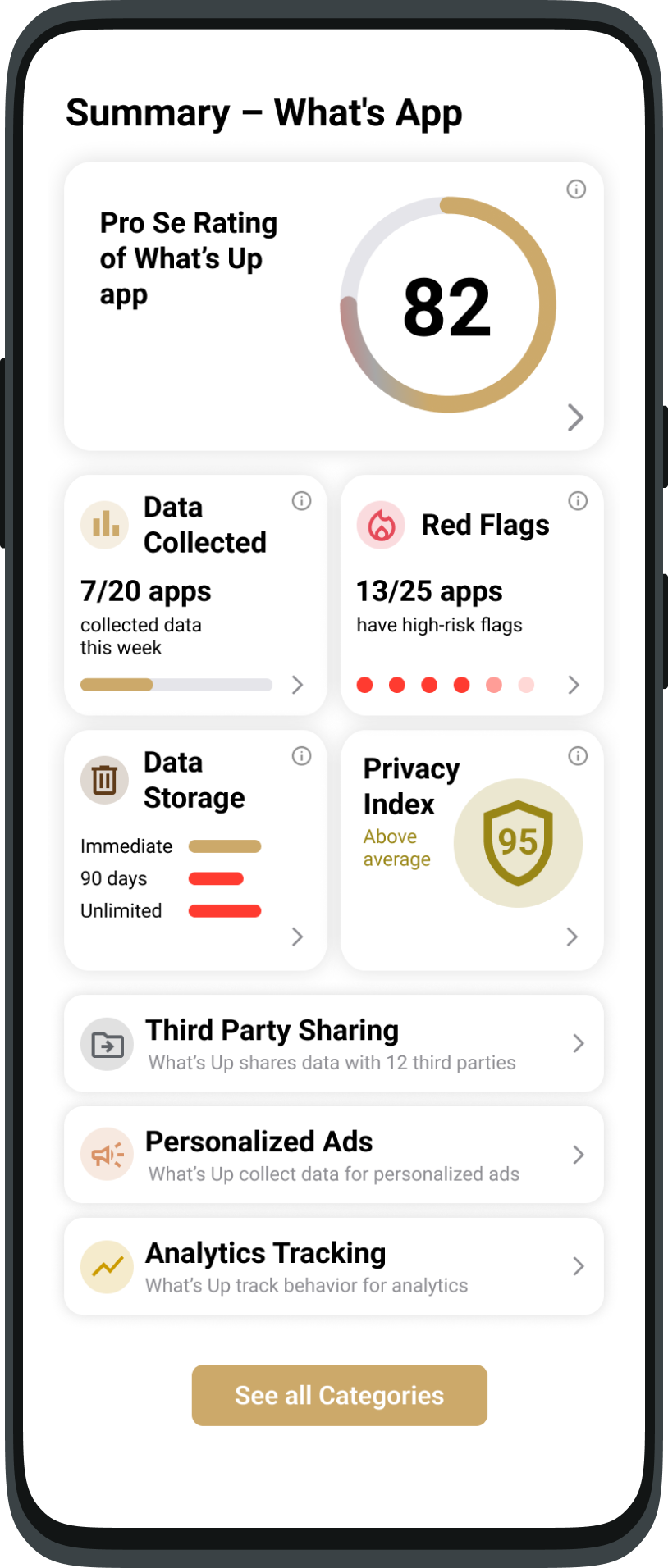
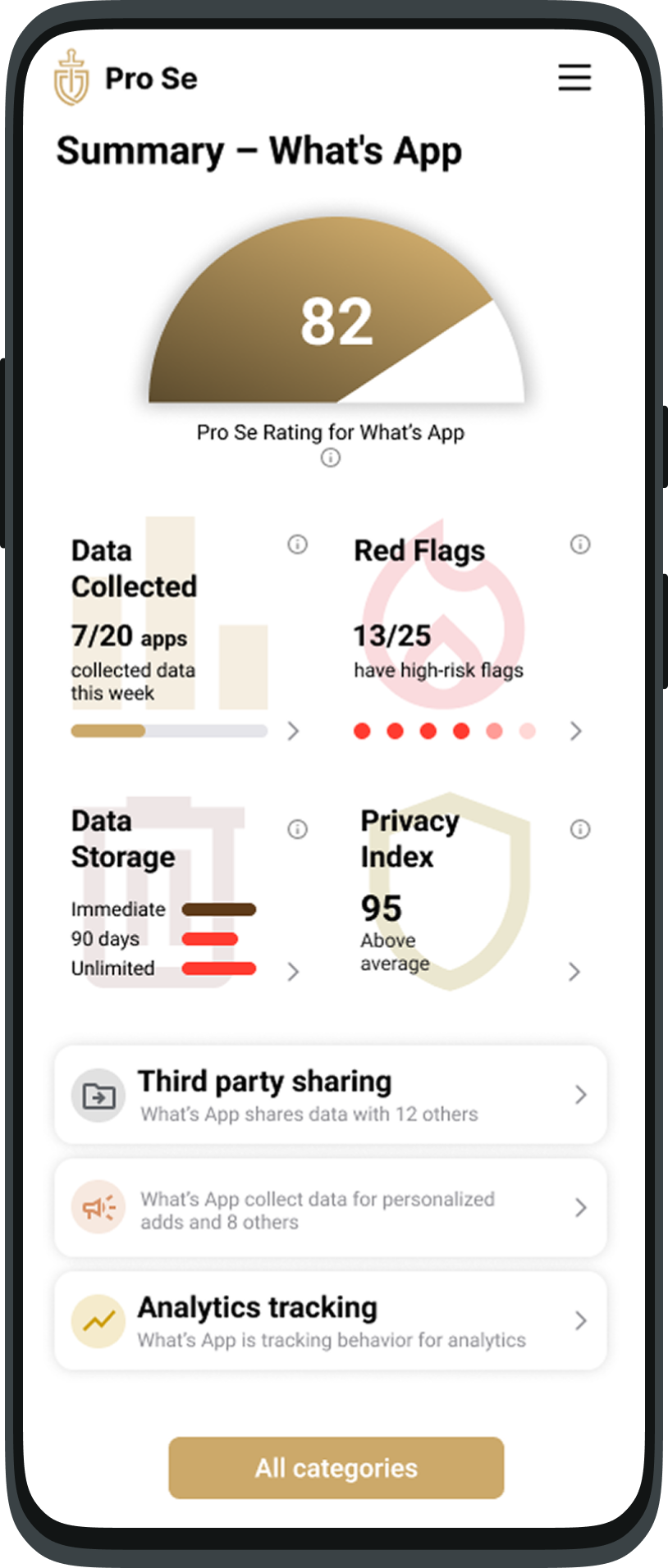
Prefer standard color-coding.
Some screens felt overcrowded.
Background icons are distracting
Want clickable score details.
"Half-moon" icon was intuitive.
Missing context/app logo.
After
03
Visual Design & Prototyping
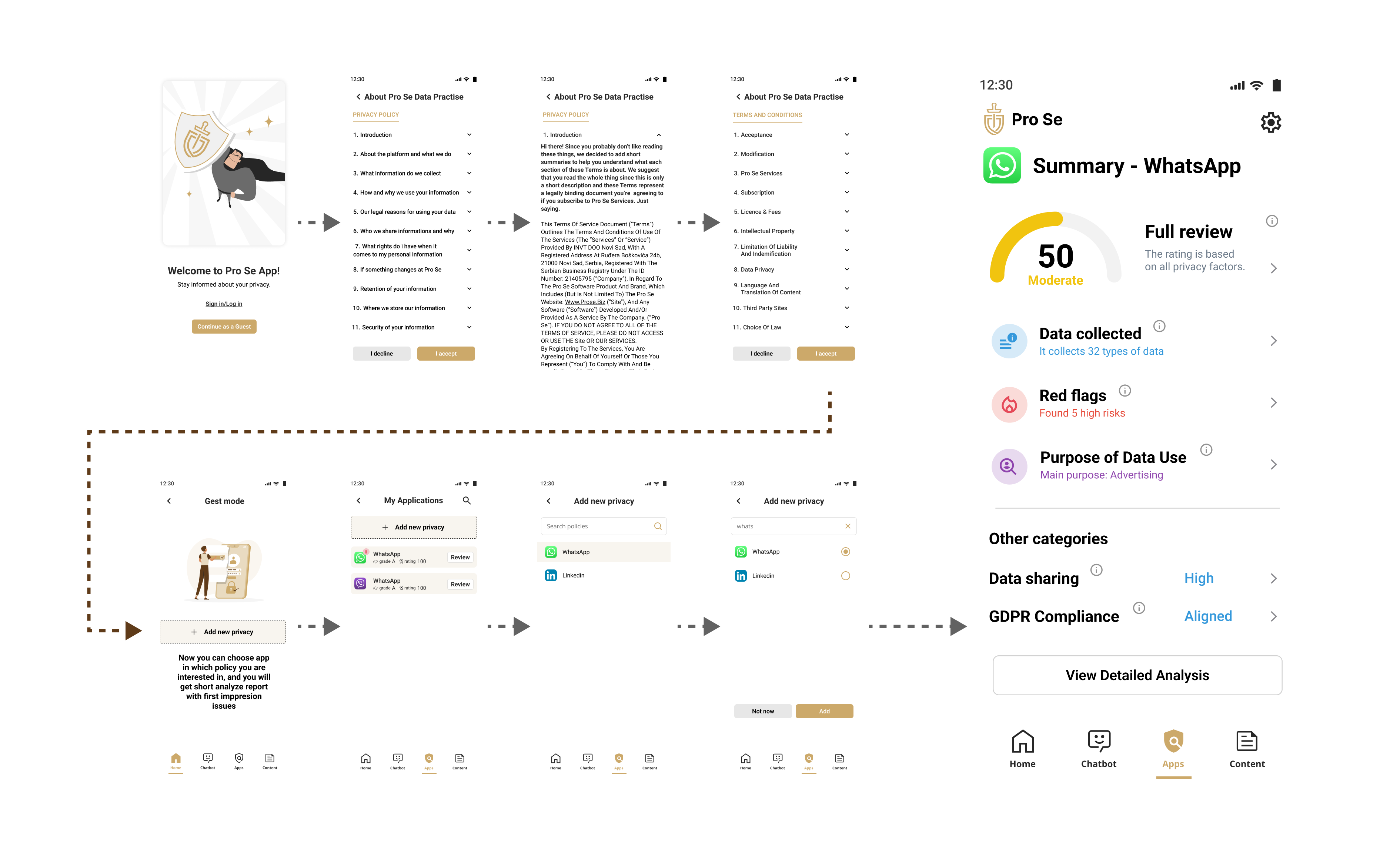
Developed high-fidelity mockups and interactive prototypes. Established a design system for consistency across touchpoints.
UI Design
Prototyping
Analytics
Goal 1: Achieved
Users need to quickly bridge the gap between what they know and the "unknown" world of privacy policies.
x10 faster
onboarding time,
3 minutes to 30 seconds.
<9 steps
easier journey to finish the task
Takeaways
I was surprised by how much people care about privacy once the "bridge" is built. Most users first focus on financial security, but my research opened their eyes to a wider perspective. I learned that UX design is often a compromise with business and legal needs. For instance, we couldn't remove the extra screens for accepting privacy policies to reduce the user’s steps, so I used accordions instead. This allowed users to skip the "noise" and reach their goal without feeling tired by a long journey.
I also learned that stakeholders aren't always ready for change right away. I am still advocating for a new color palette because my data shows that users rely on familiar patterns to understand an app quickly.

20 min 45 sec
Enhancing Privacy Awareness Through Innovative App Design 🔒
In this video, I shared insights about my work on the Pro Se app, which analyzes privacy policies using AI to help users understa...


Next Project
View All Projects →
Feature
Introducing
the Guest mode!
Onboarding in 30 sec (shorter for 3 min), enabling access to short informative
privacy summary.

Pro Se App: Privacy Policy Analiser
In the light of frequent data privacy breaches and ever increasing amount of personal data that is collected for end users, we developed Pro Se as a solution that allows users to know where their data goes, how it is used, who collects their data and so much more.
The Pro Se guides towards privacy aware Internet of Future.
The challenge
How might we spark people's interest in the usefulness of the Pro Se app?
Goal 1
Users need to quickly bridge the gap between what they know and the "unknown" world of privacy policies. A fast start helps them feel safe and confident right away.
Design Process
01
Research & Discovery
When we noticed low adoption rates, we interviewed 5 people from various professional background because we needed everyday user that are not familiar with privacy polices or what it means for their digital safety (e.g. an athlete, student, teacher, farmer...).
To make sure these findings weren't just local, I backed them up with a survey of 50 participants from different locations where we also add first screen iteration from the interviews.
User Interviews
Surveys
Competitive Analysis
Journey Mapping
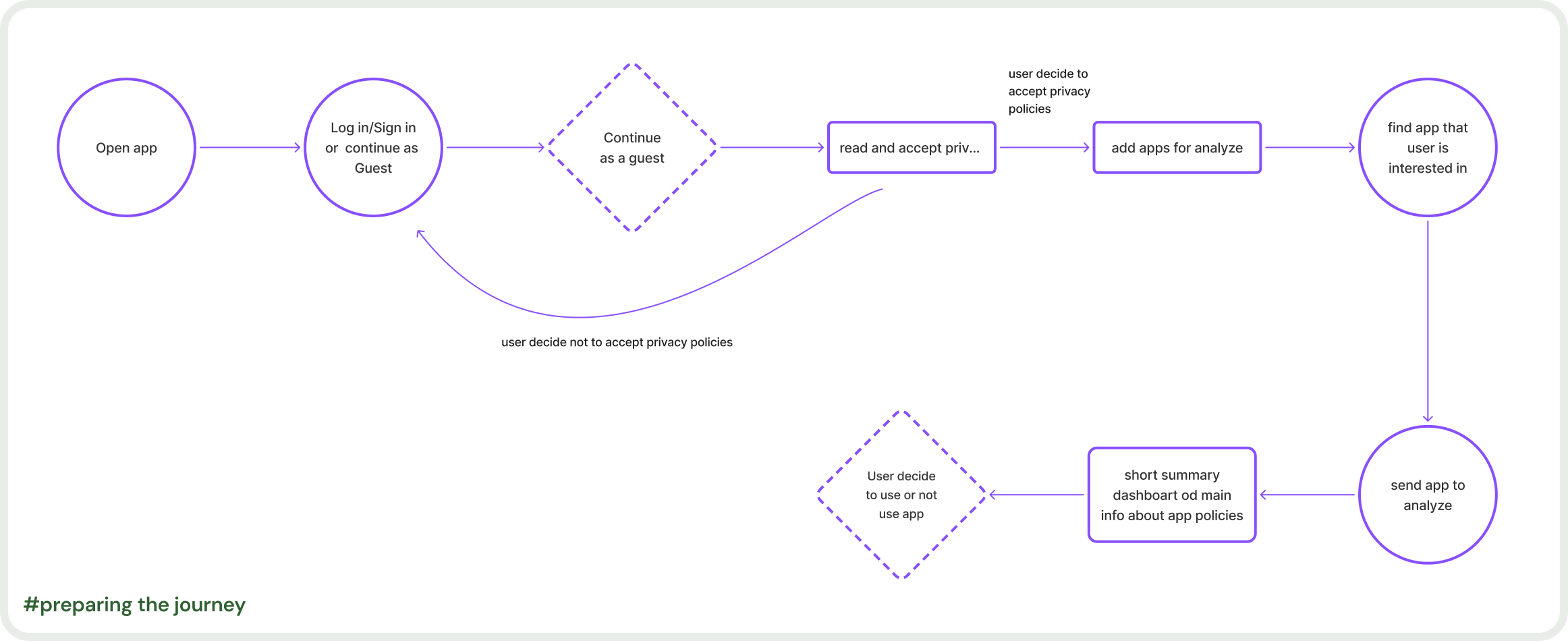
02
Iteration & Wireframing
Created low-fidelity wireframes and information architecture through collaborative design workshops with stakeholders.
Sketching
Wireframes
User Flows
03
Testing & Iteration
Ran usability testing with target users. Iterated based on feedback and analytics to meet user needs and business goals.
Usability Testing
A/B Testing
Analytics
Before

Prefer standard color-coding.
Some screens felt overcrowded.
Background icons are distracting
Want clickable score details.
"Half-moon" icon was intuitive.
Missing context/app logo.

After
04
Visual Design & Prototyping
Developed high-fidelity mockups and interactive prototypes. Established a design system for consistency across touchpoints.
UI Design
Prototyping
Design System
Goal 1: Achieved
Users need to quickly bridge the gap between what they know and the "unknown" world of privacy policies.
x10 faster
onboarding time,
3 minutes to 30 seconds.
<9 steps
easier journey to finish the task
Takeaways
I was surprised by how much people care about privacy once the "bridge" is built. Most users first focus on financial security, but my research opened their eyes to a wider perspective.
I learned that UX design is often a compromise with business and legal needs. For instance, we couldn't remove the extra screens for accepting privacy policies to reduce the user’s steps, so I used accordions instead. This allowed users to skip the "noise" and reach their goal without feeling tired by a long journey.
I also learned that stakeholders aren't always ready for change right away. I am still advocating for a new color palette because my data shows that users rely on familiar patterns to understand an app quickly.

20 min 45 sec
Enhancing Privacy Awareness Through Innovative App Design 🔒
In this video, I shared insights about my work on the Pro Se app, which analyzes privacy policies using AI to help users understa...

Feature
Introducing
the Guest mode!
Onboarding in 30 sec (shorter for 3 min), enabling access to short informative
privacy summary.

Pro Se App: Privacy Policy Analiser
In the light of frequent data privacy breaches and ever increasing amount of personal data that is collected for end users, we developed Pro Se as a solution that allows users to know where their data goes, how it is used, who collects their data and so much more.
The Pro Se guides towards privacy aware Internet of Future.
The challenge
How might we spark people's interest in the usefulness of the Pro Se app?
Goal 1
Users need to quickly bridge the gap between what they know and the "unknown" world of privacy policies. A fast start helps them feel safe and confident right away.
Design Process
01
Research & Discovery
When we noticed low adoption rates, we interviewed 5 people from various professional background because we needed everyday user that are not familiar with privacy polices or what it means for their digital safety (e.g. an athlete, student, teacher, farmer...).
To make sure these findings weren't just local, I backed them up with a survey of 50 participants from different locations where we also add first screen iteration from the interviews.
User Interviews
Surveys
Competitive Analysis
Journey Mapping
02
Iteration & Wireframing
Created low-fidelity wireframes and information architecture through collaborative design workshops with stakeholders.
Sketching
Wireframes
User Flows
03
Testing & Iteration
Ran usability testing with target users. Iterated based on feedback and analytics to meet user needs and business goals.
Usability Testing
A/B Testing
Analytics
Before

Prefer standard color-coding.
Some screens felt overcrowded.
Background icons are distracting
Want clickable score details.
"Half-moon" icon was intuitive.
Missing context/app logo.

After
04
Visual Design & Prototyping
Developed high-fidelity mockups and interactive prototypes. Established a design system for consistency across touchpoints.
UI Design
Prototyping
Design System
Goal 1: Achieved
Users need to quickly bridge the gap between what they know and the "unknown" world of privacy policies.
x10 faster
onboarding time,
3 minutes to 30 seconds.
<9 steps
easier journey to finish the task
Takeaways
I was surprised by how much people care about privacy once the "bridge" is built. Most users first focus on financial security, but my research opened their eyes to a wider perspective.
I learned that UX design is often a compromise with business and legal needs. For instance, we couldn't remove the extra screens for accepting privacy policies to reduce the user’s steps, so I used accordions instead. This allowed users to skip the "noise" and reach their goal without feeling tired by a long journey.
I also learned that stakeholders aren't always ready for change right away. I am still advocating for a new color palette because my data shows that users rely on familiar patterns to understand an app quickly.

20 min 45 sec
Enhancing Privacy Awareness Through Innovative App Design 🔒
In this video, I shared insights about my work on the Pro Se app, which analyzes privacy policies using AI to help users understa...
